160+ currencies, 60+ coins
World currencies from the dollar to the kip, plus the most traded crypto: Bitcoin, Ethereum, the big stablecoins, Solana, Toncoin and more.
Currency converter for iPhone, iPad & Mac
iCurrency converts into your whole list at once: 160+ world currencies and 60+ crypto coins. Set a price alert, check how a rate moved, and keep converting offline on the trip where there is no signal.
Download on the App StoreFree to download. Premium is optional. Speaks 31 languages.
Features
World currencies from the dollar to the kip, plus the most traded crypto: Bitcoin, Ethereum, the big stablecoins, Solana, Toncoin and more.
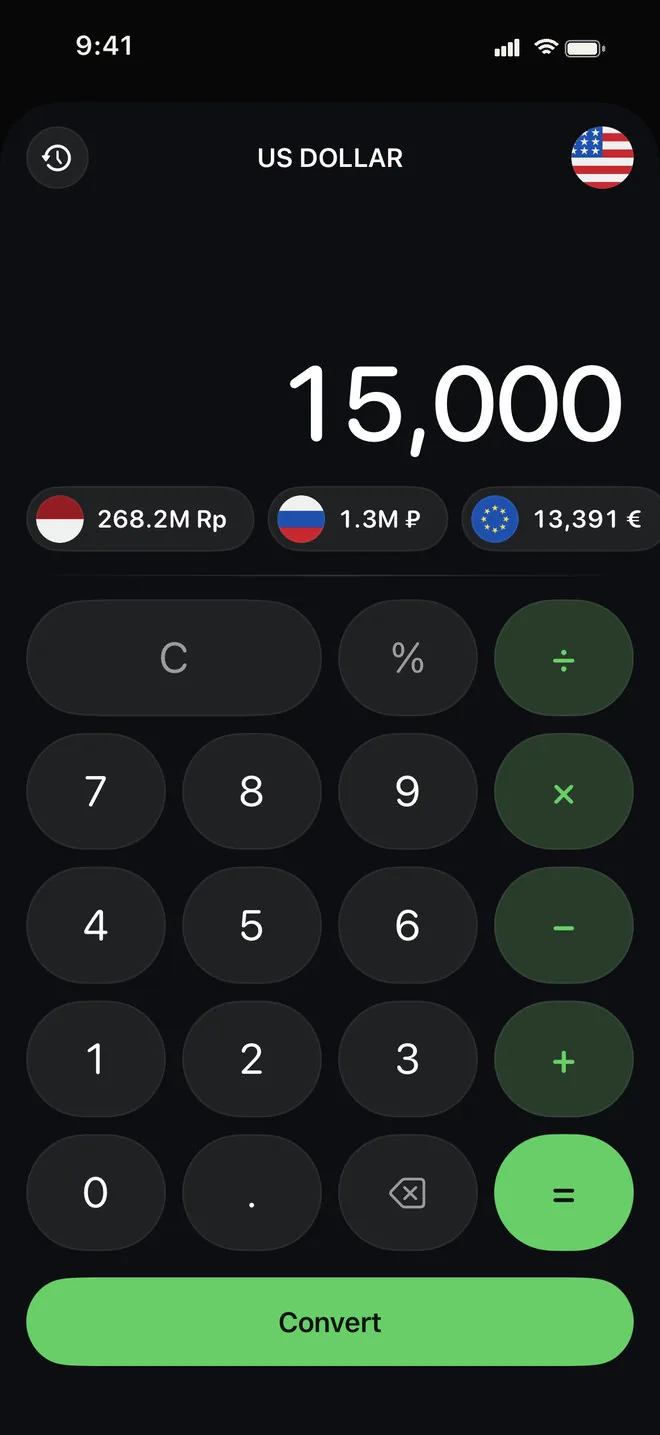
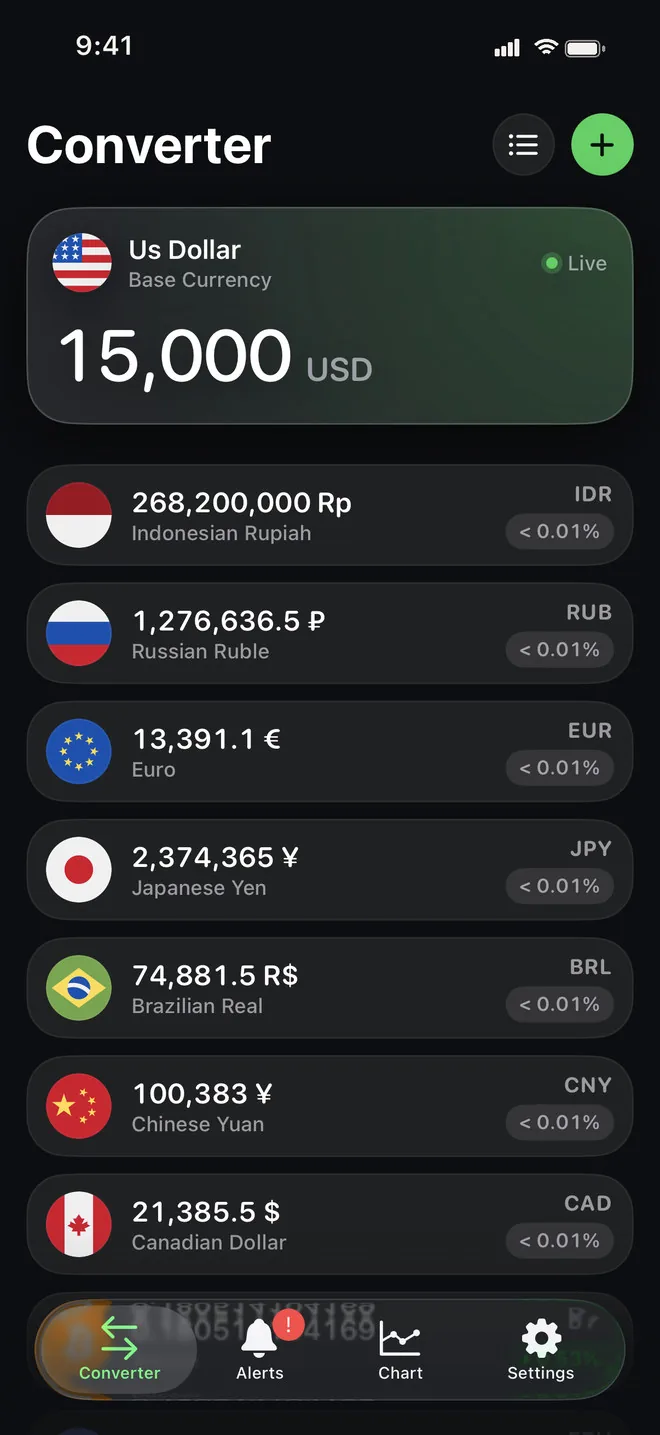
Type an amount in one currency and every other one on your list follows. Keep as many as you need and drag them into your own order.
Add up a bill, take off a discount, split it three ways. The result shows up in six of your currencies while you are still typing.
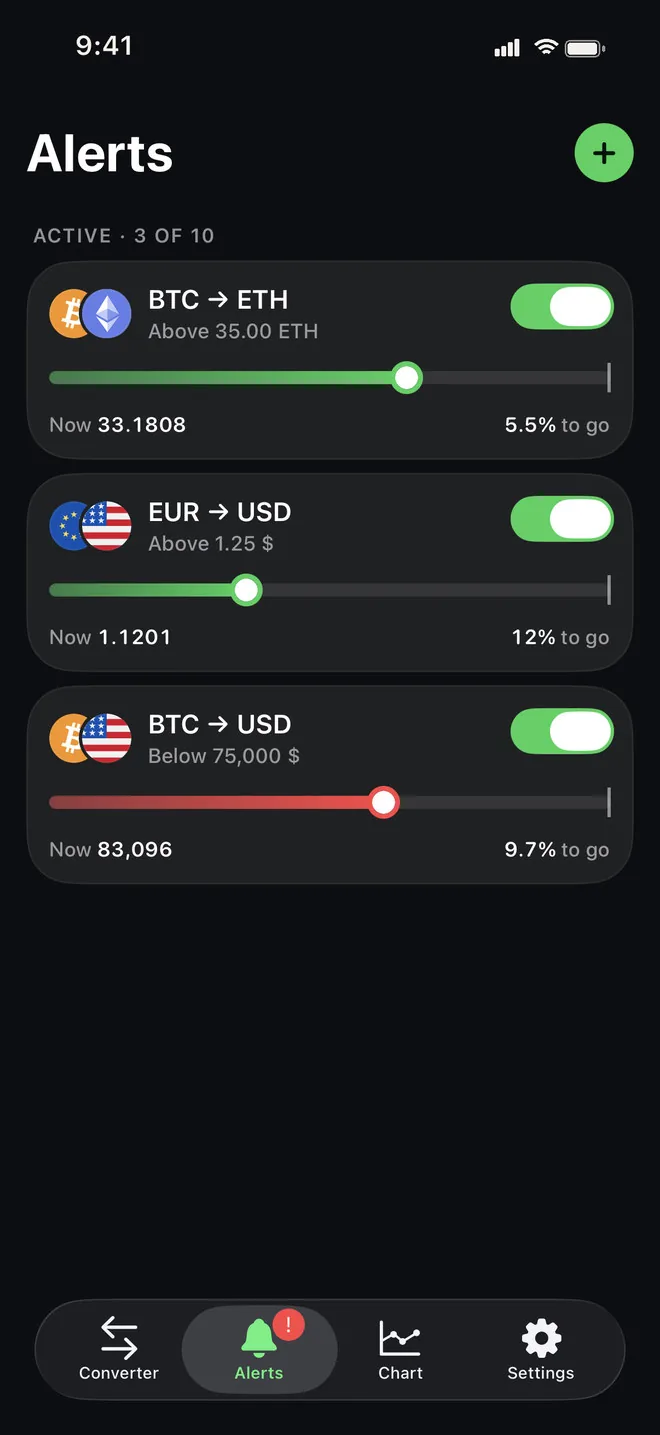
Pick a pair and a target, above or below. A notification arrives when the rate gets there, even with the app closed. One alert free, up to 10 with Premium.
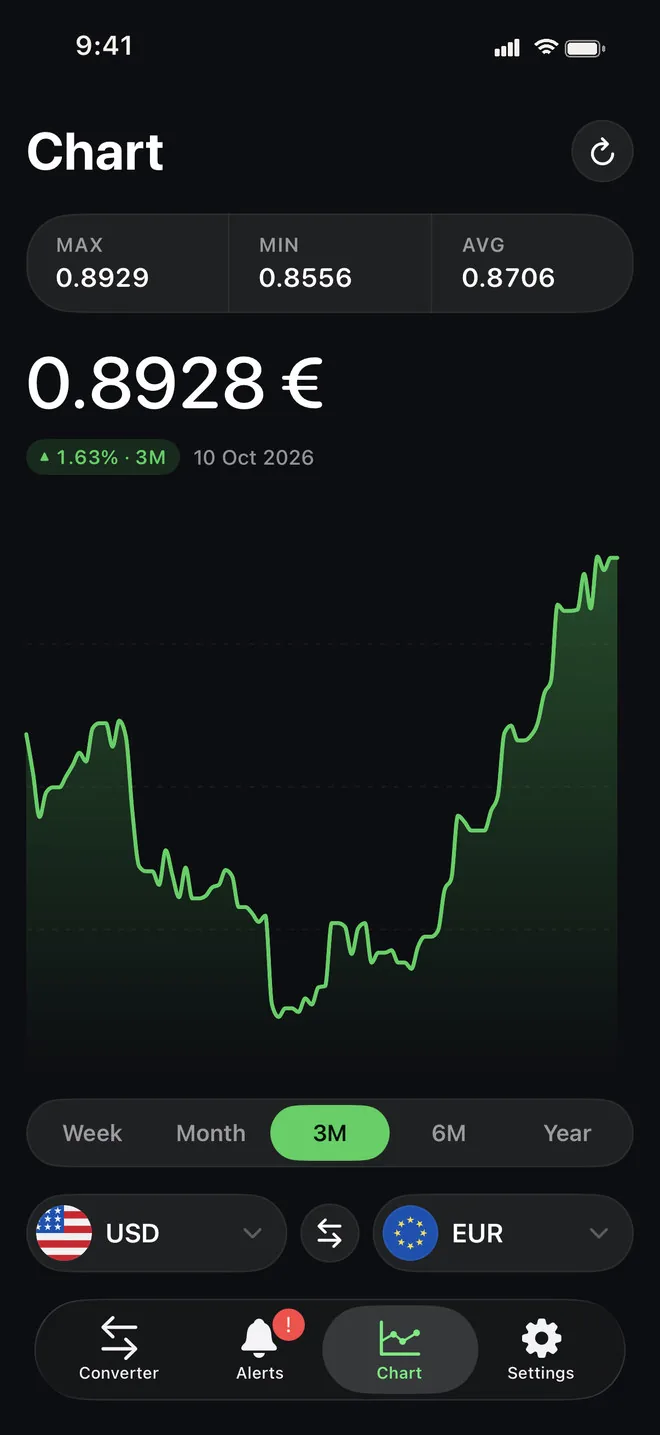
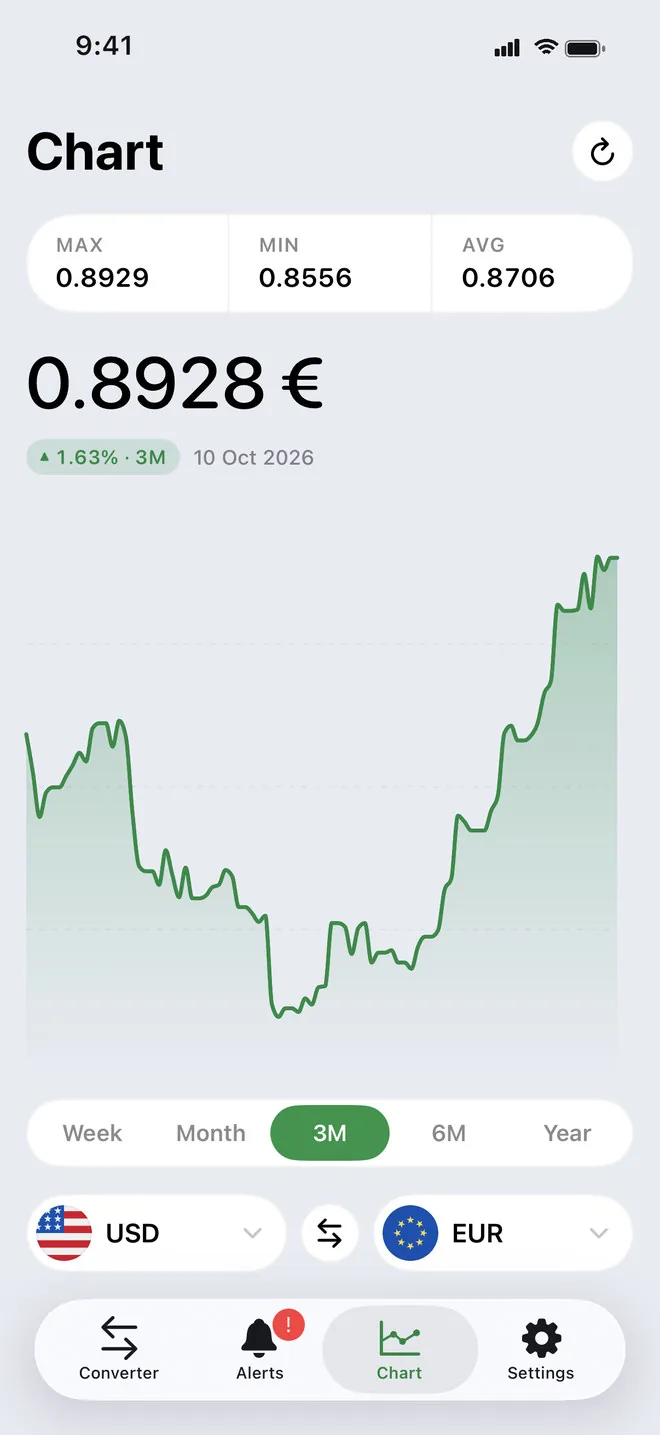
A week, a month, three or six months, or a whole year, with the high, low and average for the period and the change since it began.
The last rates you loaded stay on the phone, so the converter keeps working in airplane mode or abroad with roaming switched off.
Free rates refresh every three hours, which is plenty for shopping and travel. Premium drops the wait and keeps rates real-time.
Three Home Screen sizes and three for the Lock Screen, with up to seven of your currencies, so a quick check doesn't need the app.
Follow the system or pick light or dark, with a matching app icon. The whole interface is translated into 31 languages.
Try it here
This is how the converter behaves: type a number or switch the pair, and every row updates as you go. The rates here are a fixed sample, not live market data.
1 USD = 0.8928 EUR
Sample rates, for illustration. The app uses current market rates.
Converter
Price alerts
Set a target above or below today's rate. iCurrency checks it on its server every few minutes and sends you a notification, so the app doesn't have to stay open.
Charts
Before you change money, look at the last few months. The chart shows the high, low and average for the period and how much the rate moved.
Also on Mac
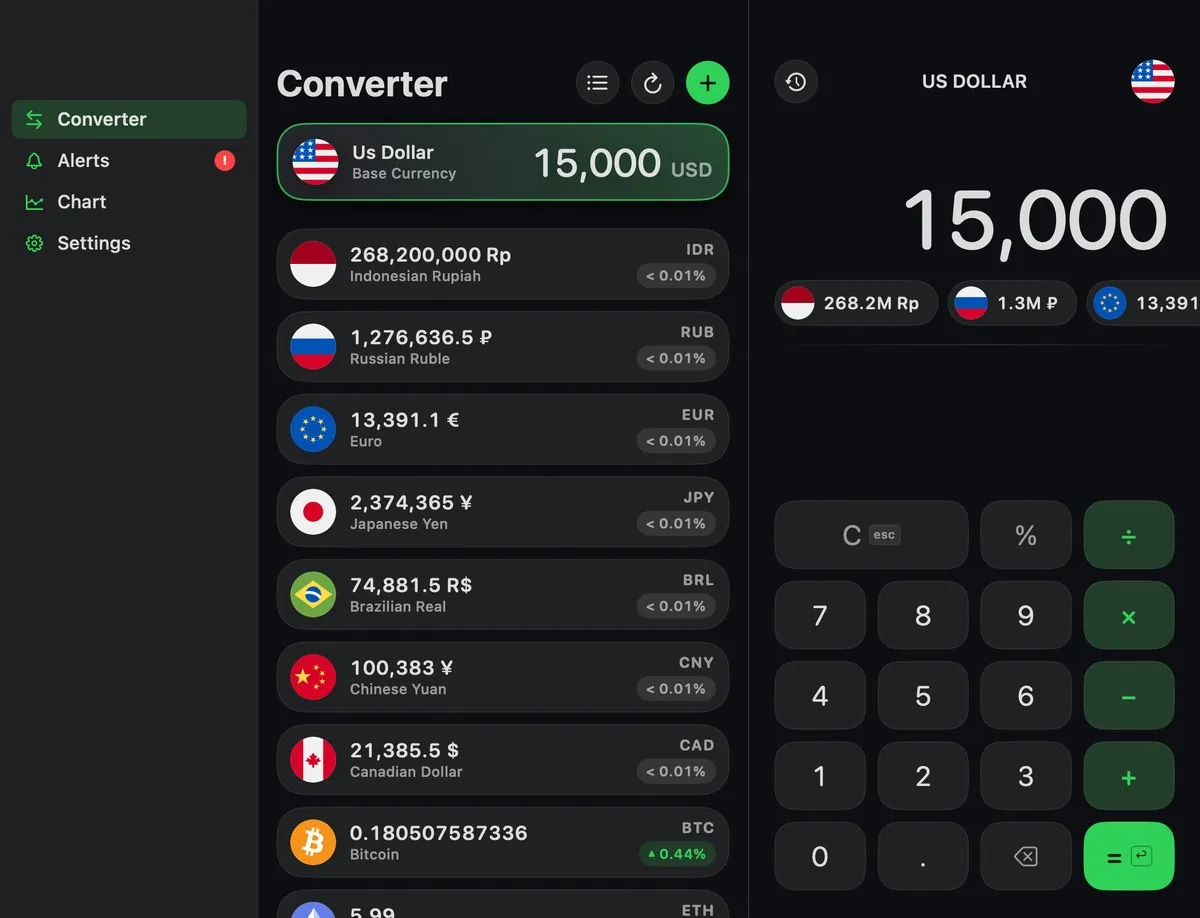
On a bigger screen iCurrency spreads out: your currency list on one side, the calculator on the other, and a sidebar for alerts, charts and settings.
FAQ
Yes. The converter, the calculator, charts, offline mode, widgets and one price alert are free. Premium adds real-time rates, up to 10 alerts and charts for any pair.
On the free version rates refresh every three hours. With Premium there is no wait: rates are real-time whenever you open the app or pull to refresh.
Yes. iCurrency keeps the last rates it loaded on your device and converts with them when you are offline. They update again as soon as you are back online.
More than 60 of the most traded coins, including Bitcoin, Ethereum, Tether, USD Coin, Solana and Toncoin. They work everywhere fiat currencies do: in the list, the calculator, charts and alerts.
Choose a pair, a target rate and whether you are waiting for it to go above or below. The rate is checked on our server every few minutes and you get a push notification when it hits the target, even if the app is closed.
There are three options: monthly, yearly with a free first week, or a one-time lifetime purchase. The App Store shows the price in your local currency before you confirm.
iPhone and iPad with iOS 18 or later, and Mac. On iPad and Mac the list and the calculator sit side by side.
The app speaks 31 languages, including English, German, French, Spanish, Italian, Portuguese, Russian, Ukrainian, Polish, Czech, Dutch, the Nordic languages, Greek, Turkish, Hebrew, Arabic, Hindi, Thai, Vietnamese, Indonesian, Malay, Japanese, Korean and both Simplified and Traditional Chinese.
More apps
Clean, focused tools built for everyday life on iPhone.
 Skyward
Tells you when and where to look tonight — meteor showers, the Moon and planets for your city — with a sky map you hold up to the sky.
Skyward
Tells you when and where to look tonight — meteor showers, the Moon and planets for your city — with a sky map you hold up to the sky.
 Quitwell
Counts the days without it — alcohol, nicotine, vaping or anything you decided to leave behind — with milestones and the money you keep.
Quitwell
Counts the days without it — alcohol, nicotine, vaping or anything you decided to leave behind — with milestones and the money you keep.
 Revera
Restores old photographs — colour, tears and scratches — and leaves the face exactly as it was.
Revera
Restores old photographs — colour, tears and scratches — and leaves the face exactly as it was.
 Surfbreak
Surf forecast for 183 spots across Indonesia — then your Apple Watch counts every wave you ride.
Surfbreak
Surf forecast for 183 spots across Indonesia — then your Apple Watch counts every wave you ride.
 RopeFlow
Jump rope workouts with automatic jump counting, XP, streaks and achievements — for iPhone and Apple Watch.
RopeFlow
Jump rope workouts with automatic jump counting, XP, streaks and achievements — for iPhone and Apple Watch.
 Borderlog
Counts your days in every country — Schengen 90/180, 183-day tax residency and visa rules for 200+ countries.
Borderlog
Counts your days in every country — Schengen 90/180, 183-day tax residency and visa rules for 200+ countries.
 Followly
See who unfollowed you on Instagram — track followers, ghosts and non-followers, privately on your device.
Followly
See who unfollowed you on Instagram — track followers, ghosts and non-followers, privately on your device.
 iHabits
Build lasting habits with streaks, a year heatmap and interactive home screen widgets.
iHabits
Build lasting habits with streaks, a year heatmap and interactive home screen widgets.
 Hale
Calm anxiety in 60 seconds with guided breathing, a quiet voice and gentle haptics.
Hale
Calm anxiety in 60 seconds with guided breathing, a quiet voice and gentle haptics.
 Voca
Record meetings and interviews — Voca marks who said what and pulls out the tasks.
Voca
Record meetings and interviews — Voca marks who said what and pulls out the tasks.
 Renewly
A privacy-first subscription tracker — capture receipts on device, get reminded before every charge, and pay once.
Renewly
A privacy-first subscription tracker — capture receipts on device, get reminded before every charge, and pay once.
Download iCurrency and convert anything, online or off.
Download on the App Store